





Your business in the browser.
Keep the menu and shift plan up to date, pull the figures for your accountant. In the browser, from any computer, even from home in the evening.

The evening alone with the figures.
When the last guest has gone, the second part of the day begins: adjusting prices, next week’s shift plan, the supplier’s invoice. In the Management dashboard you do all of that on the same screen, and the figures come straight from the till instead of from an Excel sheet.
How it works.
- 1
Set up
Create your menu, floor plan, delivery zones and team once.
- 2
Pair devices
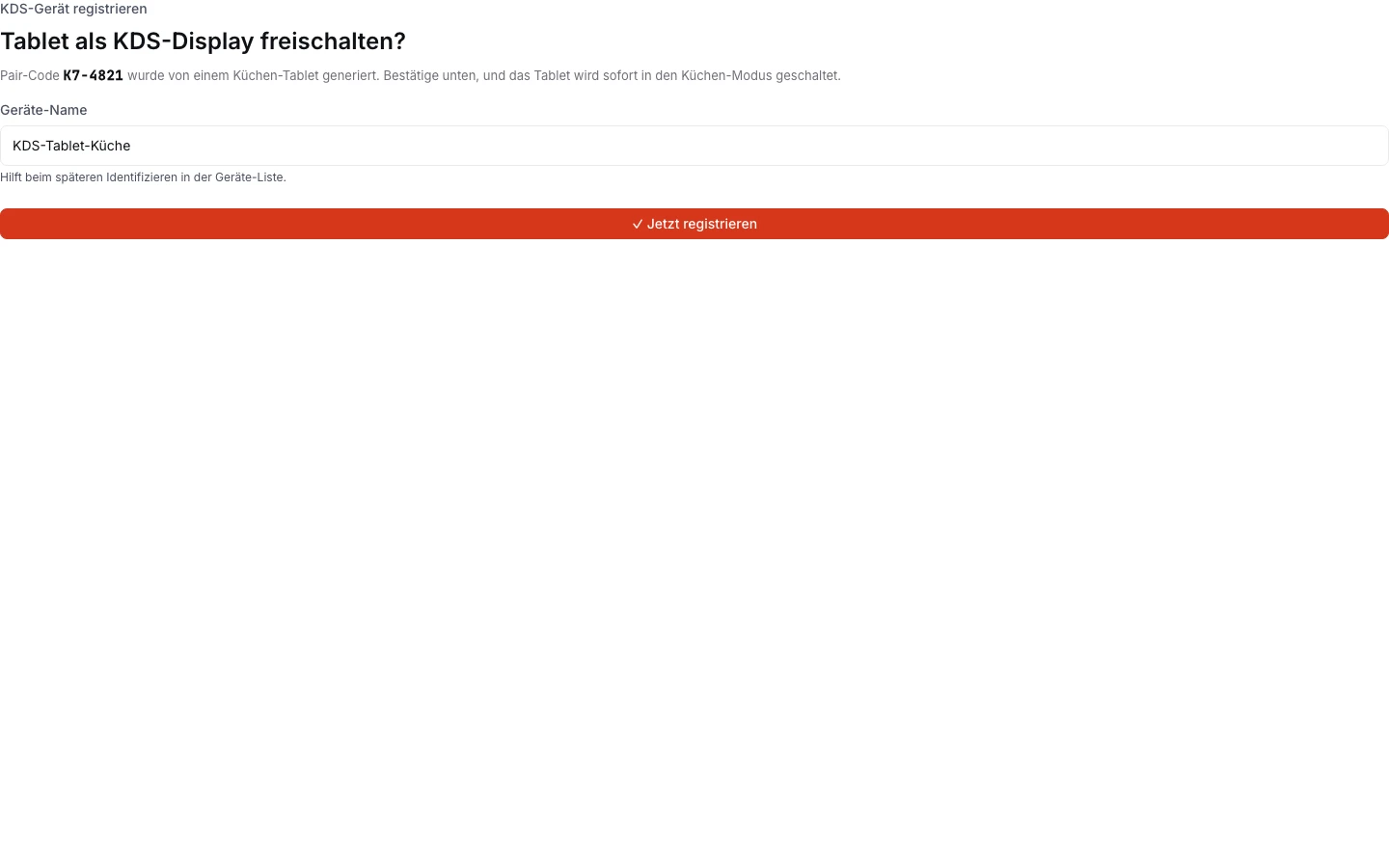
Confirm the code from the new tablet in the panel, and it shows up in the device list.
- 3
Keep it up to date daily
Mark items as sold out, plan offers, enter shifts.
- 4
Review
Read sales, products and VAT, and export them for your accountant.
What you see in the panel.
Real screens from the Management dashboard, with demo data.
Pair devices with a code.
A new tablet shows a code. You confirm it in the panel, and the tablet becomes a kitchen display or a till. The device list shows which device is where.
- Device list with names
Your dining room as a plan.
You draw the dining room once, with the terrace and the back room. After that, the till, Garson and reservations work from the same plan.

Help in the panel.
Translating the menu, estimating next week: the panel has small helpers for that. When Forn Support answers, it’s people writing.
- Allergens & ingredientsEnter the ingredients once. The allergens then show up on the ordering page and in the QR menu.
- AI translationHave your menu and texts translated into other languages, and check them before publishing.
- Replies to reviewsReviews come into the panel with the order. You read them and reply there yourself.
- ForecastA simple outlook based on your past sales, to help with purchasing and the shift plan.
- Ask FornA printer that won’t cooperate? You write to Forn Support straight from the panel. The answer comes in writing.
Everything in the panel.
- Orders & deliveryCounter, phone and ordering page on one till, plus the delivery zones.
- Tables & QREvery table with its own bill, ordering by QR code at the table.
- ReservationsBooked tables and walk-ins on the same plan.
- Loyalty & vouchersStamps without cardboard cards, gift cards and promo codes.
- Campaigns & reviewsOne promotion for banner, email and push, reviews only after an order.
- Stock & purchasingEvery sale deducts the ingredients, with purchasing and HACCP in the same panel.
- Team & hoursEveryone with their own PIN, a shift plan and a time clock on the till.
- Bookkeeping & VATZ reports, expenses and the month’s VAT, ready for your accountant.
- ReportsWhat sold, when and through which channel, as PDF or Excel.
- BranchesOne menu for all locations, figures per branch and combined.
- All featuresEvery product and every module, briefly explained.
A browser is all you need.
- Computer
Chrome, Edge, Safari or Firefox, on Windows or Mac.
- Tablet
For on the go. For longer work we recommend a computer.
Included in these plans.
The Management dashboard comes with every plan. Which modules are open in it depends on Start, Pro or Kette.
Prices are provisional. Which features go into which plan will be set together with the prices. Go to pricing
Questions about the Management dashboard
Can I open the panel on my phone?
Who sees the figures?
Can I manage several businesses?
Tell us about your place.
You get test access by email and written answers to your questions. Send your menu along, and we’ll answer based on your dishes.
Or write to us: info@forn.ch